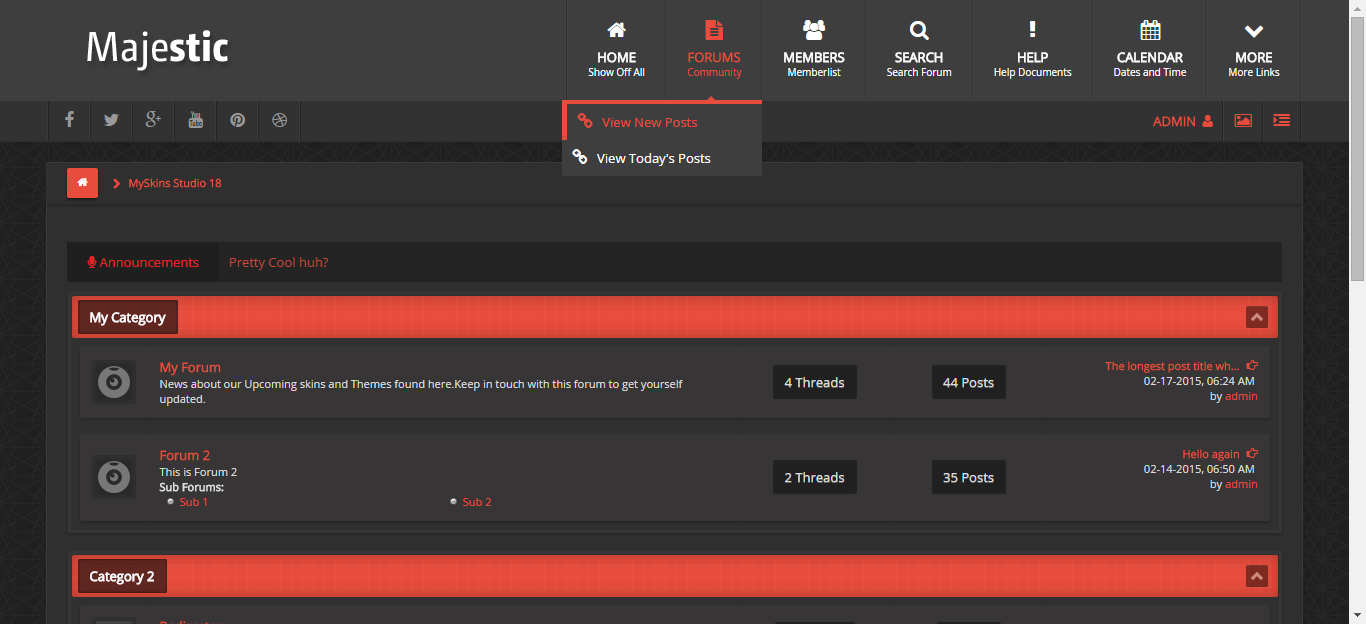
↓↓ Mybb Gece Modu [Karanlık Tema] Nasıl Yapılır ? Detaylı Anlatım ↓↓
Modifikasyon Açıklaması : Bu modifikasyon sitenizine gece modu(koyu tema) seçicisi(switcher) ekleye bilirsiniz.
Modifikasyon Yapımcısı : Nevruz
- Modifikasyon Görüntüsü -

PHP Kod:
<script>(function(window, document, undefined) {
    'use strict';
    if (!('localStorage' in window)) return;
    var nightMode = localStorage.getItem('gmtNightMode');
    if (nightMode) {
        document.documentElement.className += ' night-mode';
    }
})(window, document);

document.addEventListener('DOMContentLoaded',function() {
    'use strict';
    // Feature test
    if (!('localStorage' in window)) return;
    var nightMode = document.querySelector('#night-mode');
    if (!nightMode) return;
    // When clicked, toggle night mode on or off
nightMode.addEventListener('click', function (event) {
event.preventDefault();
document.documentElement.classList.toggle('night-mode');
        if ( document.documentElement.classList.contains('night-mode') ) {
            localStorage.setItem('gmtNightMode', true);
            return;
        }
        localStorage.removeItem('gmtNightMode');
    }, false);
});</script>
Admin KP » Temalar ve şablonlar » Kullandığınız tema » global.css » Gelişmiş düzenleme » aşağıdaki kodları en alta ekleyin.
.
PHP Kod:
night-mode body{
    background-color: #14191e
}

.night-mode #content{
    background-color: #14191e;
    color: #eee
}

.night-mode #logo{
    background-color:#14191e
}

.night-mode #logo a{
    color:#eee
}

.night-mode .trow1, .night-mode .trow2{
    background-color: #14191e;
    border-color: #14191e;
    color:#eee
}

.night-mode .trow1 a, .night-mode .trow2 a{
    color: #eee
}
Admin KP » Temalar ve şablonlar » Şablonlar » Kullandığınız temanın şablon seti » Header Şablonlar » header {$awaitingusers} değişkeni altına aşağıdaki kodu ekleyin.
PHP Kod:
<button type="button" id="night-mode">Gece Modu</button>
Not 1 : Gece modu seçici ikonun nerede gözükmesini istiyorsanız o şablona ekleyin. Örnek olarak header'a eklenmiştir.
Not 2 : Gece saatlerinde siteye giriş yapan kullanıcıların otomatik olarak gece modunda siteyi kullanması için headerinclude şablonuna eklediğiniz kodları aşağıdaki ile değiştirin.
PHP Kod:
<script>(function(window, document, undefined) {
    'use strict';
    var hr = (new Date()).getHours();
    if(hr > 20 || hr < 6){
        document.documentElement.className += ' night-mode';
    }
    if (!('localStorage' in window)) return;
    var nightMode = localStorage.getItem('gmtNightMode');
    if (nightMode) {
        document.documentElement.className += ' night-mode';
    }
})(window, document);

document.addEventListener('DOMContentLoaded',function() {
    'use strict';
    // Feature test
    if (!('localStorage' in window)) return;
    var nightMode = document.querySelector('#night-mode');
    if (!nightMode) return;
    // When clicked, toggle night mode on or off
nightMode.addEventListener('click', function (event) {
event.preventDefault();
document.documentElement.classList.toggle('night-mode');
        if ( document.documentElement.classList.contains('night-mode') ) {
            localStorage.setItem('gmtNightMode', true);
            return;
        }
        localStorage.removeItem('gmtNightMode');
    }, false);
});</script>