
Spec Banner ADS Plugin CS 1.6 - Full Guide Install
-
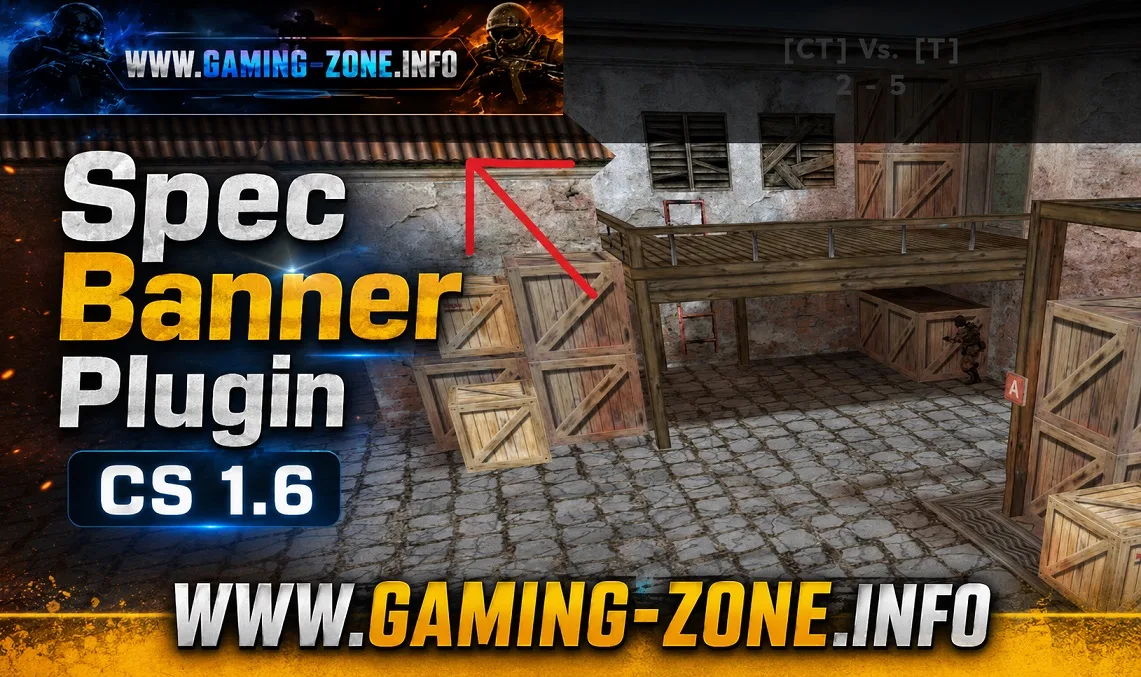
With this plugin the players can see banner ingame now when you are death or become spectator.
Install: Make a banner for your server, or use www.chatgpt.com
Example:

-
The first you must Rotation Flip Vertical, the banner to show correctly to your server.
Step 1: Open link https://www.img2go.com/rotate-image
Upload your banner
–
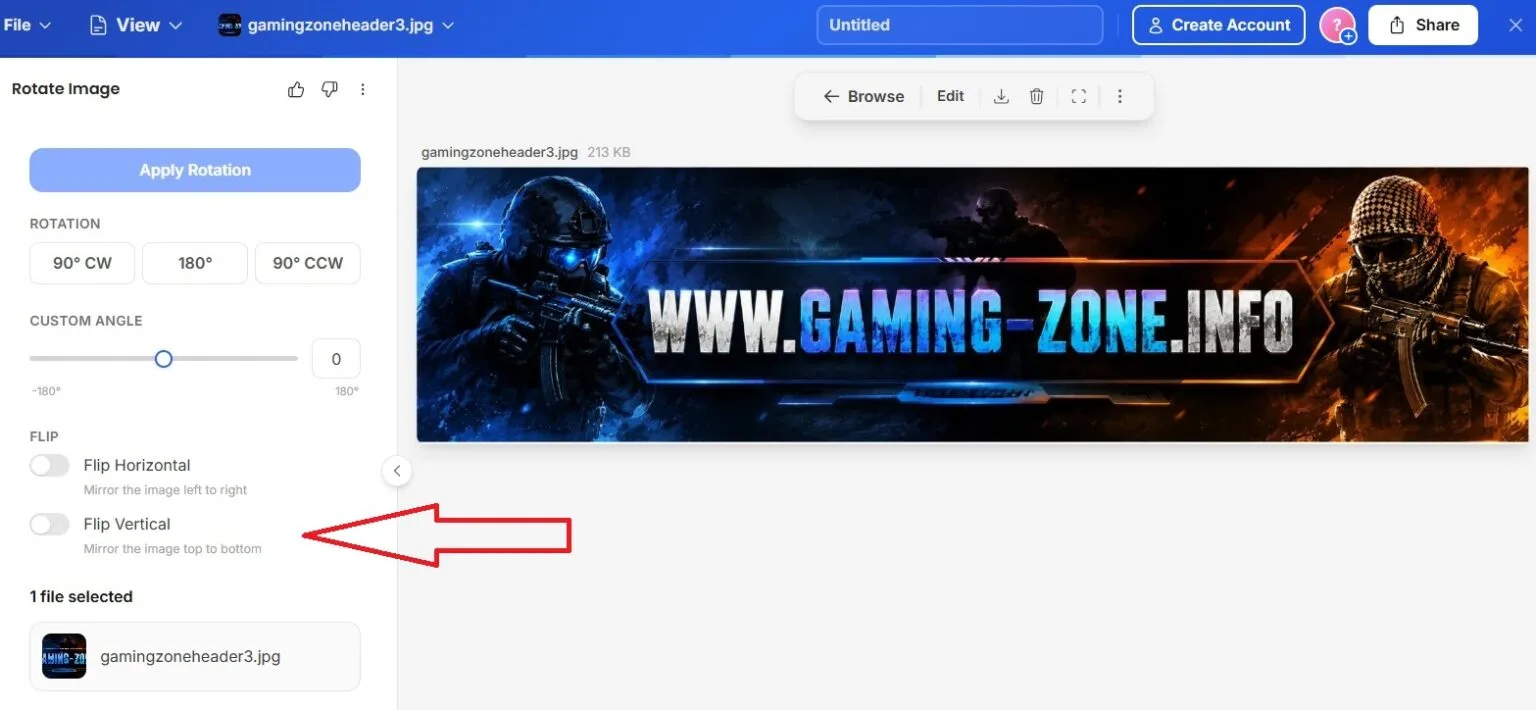
Step 2: Press to Flip Vertical
-
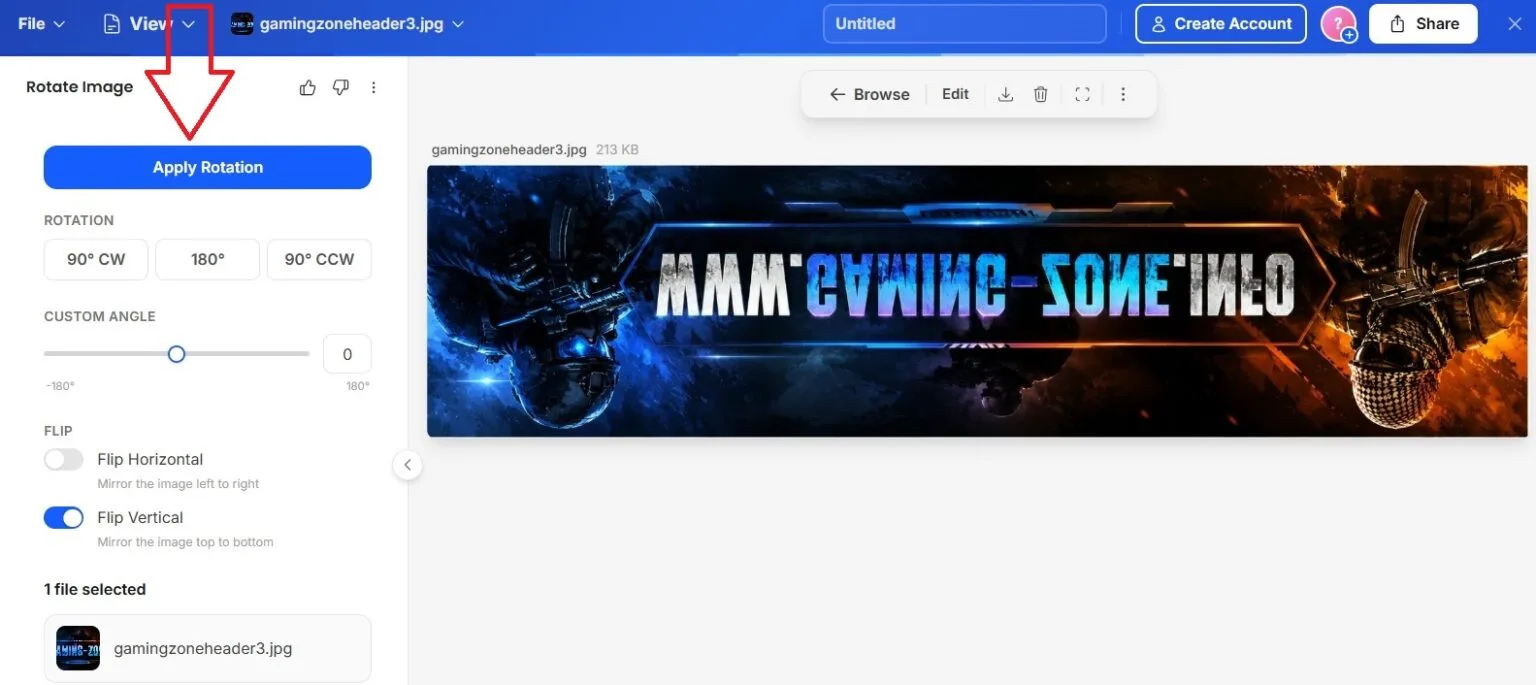
Step 3: Apply Rotation
-
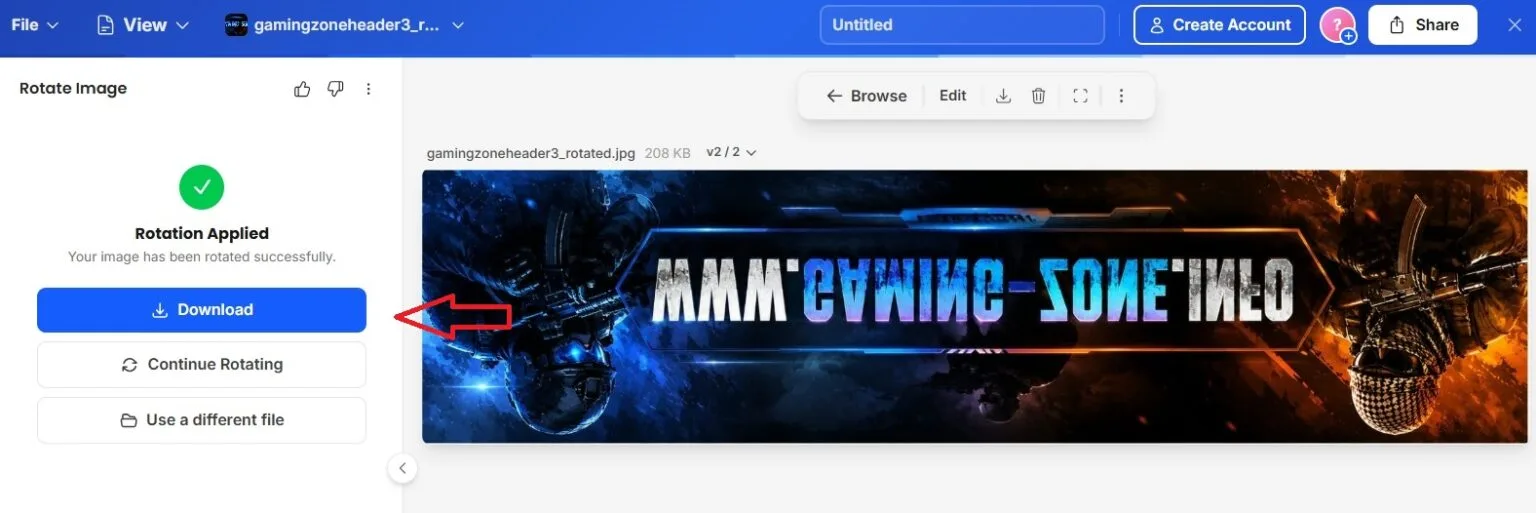
Step 4: Download Image and save
-
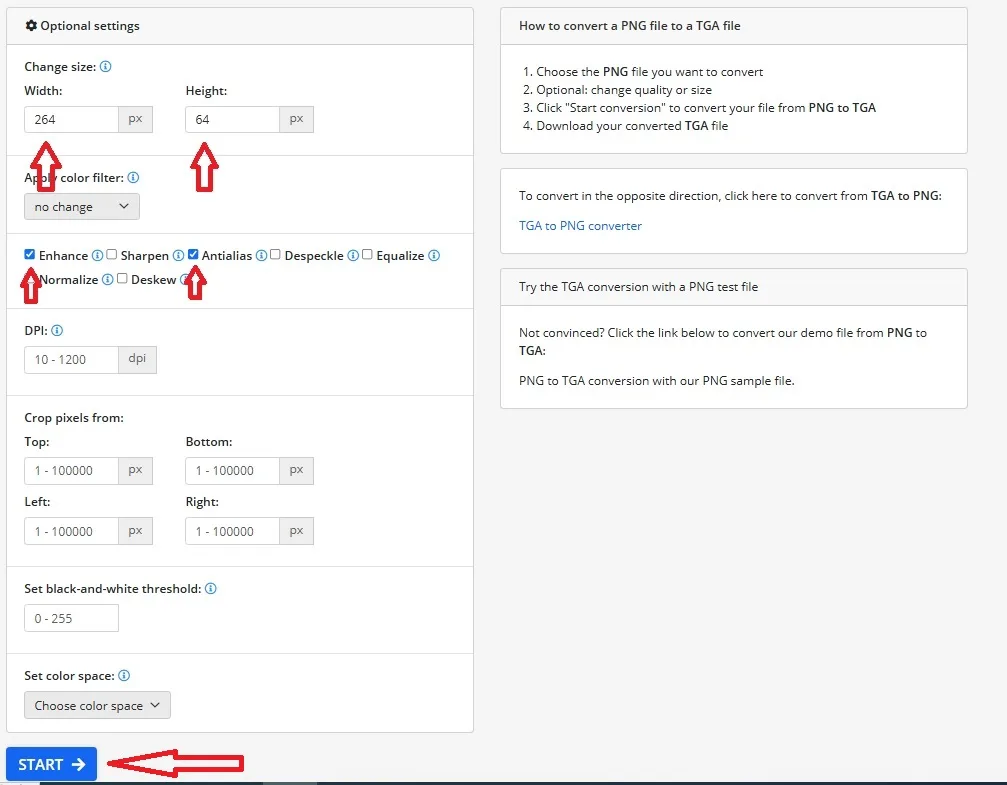
Step 5: You must convert image to .tga file, this need the Spec Banner Plugin to show banner on server
Open Link: https://image.online-convert.com/convert/png-to-tga
Step 6: Chose File (Upload) the image this you have Rotation before,
after upload change size to 264×64 and press apply to Enhance and Antialias,
after press Start to convert your image to .tga file
-
Step 7: After convert Download .tga file and rename to your self, example gamingzoneheader3.tga
.tga file extract to cstrike/gfx
–
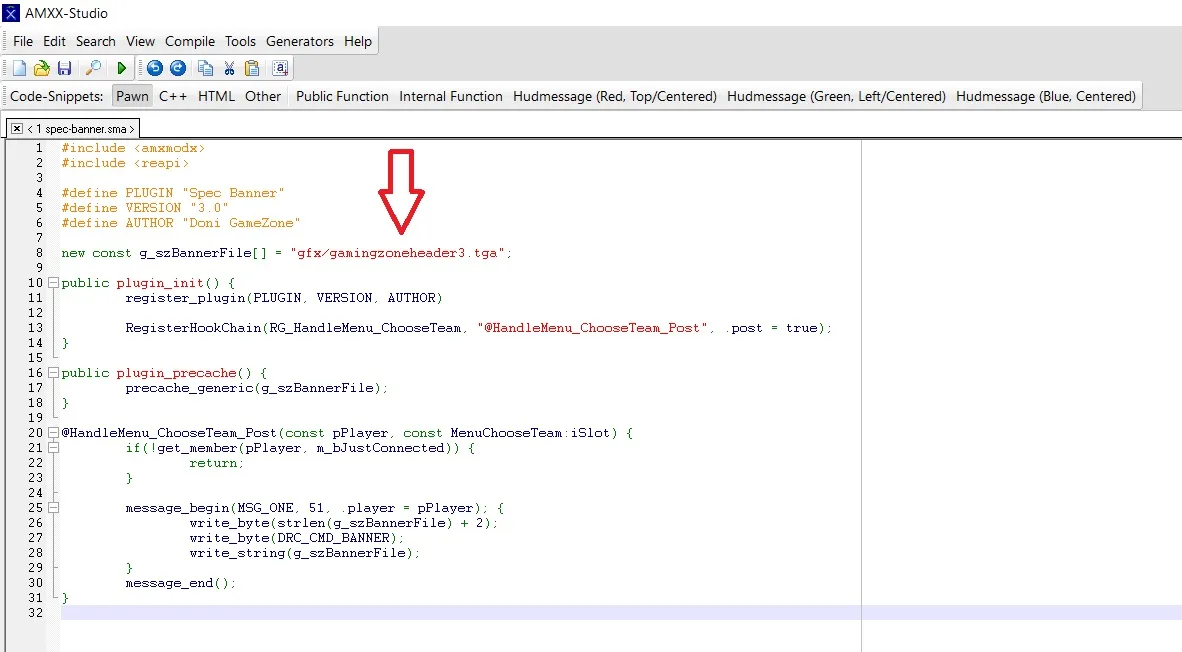
Step 8 : Get spec-banner.sma Plugin
Download: https://www.mediafire.com/file/1ukvwmzl4...n.rar/file
Step 9: Edit in sma the .tga file name and save, after compile and put to plugins.
-
With this plugin the players can see banner ingame now when you are death or become spectator.
Install: Make a banner for your server, or use www.chatgpt.com
Example:
-
The first you must Rotation Flip Vertical, the banner to show correctly to your server.
Step 1: Open link https://www.img2go.com/rotate-image
Upload your banner
–
Step 2: Press to Flip Vertical
-
Step 3: Apply Rotation
-
Step 4: Download Image and save
-
Step 5: You must convert image to .tga file, this need the Spec Banner Plugin to show banner on server
Open Link: https://image.online-convert.com/convert/png-to-tga
Step 6: Chose File (Upload) the image this you have Rotation before,
after upload change size to 264×64 and press apply to Enhance and Antialias,
after press Start to convert your image to .tga file
-
Step 7: After convert Download .tga file and rename to your self, example gamingzoneheader3.tga
.tga file extract to cstrike/gfx
–
Step 8 : Get spec-banner.sma Plugin
Download: https://www.mediafire.com/file/1ukvwmzl4...n.rar/file
Step 9: Edit in sma the .tga file name and save, after compile and put to plugins.
www.gaming-zone.info - CS Source Offensive NonSteam: https://www.webailesi.com/konu-counter-strike-source-offensive-34737