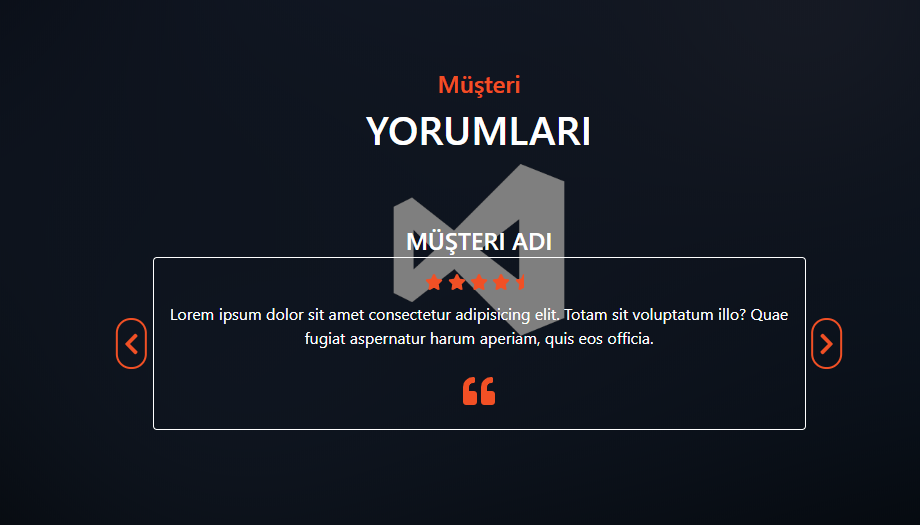
)




Kod:
<!DOCTYPE html>

<html lang="en">

<head>

    <meta charset="UTF-8">

    <title>Webailesi.com - Taha KOÇAK</title>


    <script src="https://code.jquery.com/jquery-3.5.0.min.js"></script>

    <script src="https://cdnjs.cloudflare.com/ajax/libs/font-awesome/5.13.0/js/all.min.js"></script>

    <link rel="stylesheet" href="https://www.webailesi.com/yonlendir.php?link=https%3A%2F%2Fstackpath.bootstrapcdn.com%2Fbootstrap%2F4.4.1%2Fcss%2Fbootstrap.min.css" integrity="sha384-Vkoo8x4CGsO3+Hhxv8T/Q5PaXtkKtu6ug5TOeNV6gBiFeWPGFN9MuhOf23Q9Ifjh" crossorigin="anonymous">


</head>

<body>

    <style>

        .max-height{

            min-height: 100vh;

            background:linear-gradient(rgba(0,0,0,0.5),rgba(0,0,0,0.5)) ,url('web1.jpeg')center/cover no-repeat fixed;

        }

        .title-heading{

            color:#f15025;

        }

        .title-subheading{

            color: white;

        }

        .customer-card{

            background: transparent!important;

            color:white;

            border:0.05rem solid white;

            padding-bottom: 1rem;

            padding-left: 1rem;

            padding-right: 1rem;

            position: relative;

        }

        .img-card{

            border-radius: 50%;

            margin-bottom: 1rem;

            margin-top: -3rem;

        }

        .star-icon{

            color: #f15025;

        }

        .quote-icon{

            font-size: 2rem;

            color: #f15025;

        }

        .prevBtn,.nextBtn{

            font-size: 1.5rem;

            padding: 0.1rem;

            color:#f15025;

            border:0.1rem solid #f15025;

            display: inline-block;

            position: absolute;

            padding: 0.4rem;

            border-radius: 100px;

            transition: all 1s ease-in-out;

        }

        .prevBtn:hover{

            background: #f15025;

            color: white;


        }

        .nextBtn:hover{

            background: #f15025;

            color: white;


        }

        .prevBtn{

            top: 50%;

            left: 0;

            transform: translate(-120%,-50%);

        }

        .nextBtn{

            top: 50%;

            right: 0;

            transform: translate(120%,-50%);

        }

    </style>

    <div class="container-fluid">

        <div class="row max-height align-items-center">

            <!-- col -->

            <div class="col-10 mx-auto col-md-6">

                <div class="row">

                    <div class="col text-center my-5">

                        <h4 class="title-heading ">Müşteri</h4>

                        <h1 class="title-subheading text-uppercase">Yorumları</h1>

                    </div>

                </div>


                <div class="card my-5 text-center customer-card ">

                    <img src="img/customer-0.jpg" width="150" id="customer-img" class="img-card mx-auto" alt="">

                    <h4 id="customer-name" class="text-uppercase">Müşteri Adı</h4>

                    <div class="review-icons my-2">

                        <span class="star-icon">

                            <i class="fas fa-star"></i>

                        </span>

                        <span class="star-icon">

                            <i class="fas fa-star"></i>

                        </span>

                        <span class="star-icon">

                            <i class="fas fa-star"></i>

                        </span>

                        <span class="star-icon">

                            <i class="fas fa-star"></i>

                        </span>

                        <span class="star-icon">

                            <i class="fas fa-star-half"></i>

                        </span>

                    </div>

                    <p id="customer-text">Lorem ipsum dolor sit amet consectetur adipisicing elit. Totam sit voluptatum illo? Quae fugiat

                    aspernatur harum aperiam, quis eos officia.</p>

                    <span class="quote-icon">

                        <i class="fas fa-quote-left"></i>

                    </span>

                    <a href="https://www.webailesi.com/yonlendir.php?link=%23" class="btn prevBtn"><i class="fas fa-chevron-left"></i></a>

                    <a href="https://www.webailesi.com/yonlendir.php?link=%23" class="btn nextBtn"><i class="fas fa-chevron-right"></i></a>

                </div>

            </div>

            <!-- end of col -->

        </div>

    </div>


<script>

       const customerImage = document.querySelector('#customer-img')

    const customerName = document.querySelector('#customer-name')

    const customerText = document.querySelector('#customer-text')

    const buttons = document.querySelectorAll('.btn')

    let index = 0

    const customers = []


    //Create a new customer using a customer constructor


    //Customer Constructor

    function Customer(img, name, text) {

        this.img = img

        this.name = name

        this.text = text

    }


    //Create new customer using the constructor function


    function createCustomer(img, name, text) {


        let fullImg = `./img/customer-${img}.jpg`

        let customer = new Customer(fullImg, name, text)


        customers.push(customer)

    }


    createCustomer(0, 'Müşteri', 'Müşteri1')

    createCustomer(1, 'Müşteri', 'Müşteri2')

    createCustomer(2, 'Müşteri',"Müşteri3")

    createCustomer(3, 'Müşteri', 'Müşteri4')

    createCustomer(4, 'Müşteri', 'Müşteri5')


    buttons.forEach(function(button){

        button.addEventListener('click', function(e){

            if (e.target.parentElement.classList.contains('prevBtn')){

               if(index === 0){

                    index = customers.length

               }

               index--

               customerImage.src = customers[index].img

               customerName.textContent = customers[index].name

               customerText.textContent = customers[index].text

            }

            if (e.target.parentElement.classList.contains('nextBtn')){

                index++

                if(index === customers.length){

                     index = 0

                }

                customerImage.src = customers[index].img

                customerName.textContent = customers[index].name

                customerText.textContent = customers[index].text

             }

        })

    })

</script>

</body>

</html>
Ekran Görüntüsü: